THE LATEST FROM BEEBO
Beebo downloads and versioned release notes.
Earlier release overview through October 14, 2026
Beebo for Windows 0.1.88 came out on October 14, 2026. It is a larger Windows release: Phone speakers and Family Watch (both still in development), podcast follow and import, phone backup fixes, tighter safety for paired TVs and guests, and many smaller fixes. The Android test build stays at 1.51-tester23 and Beebo Auto 1.18 is unchanged. Historical release: Android 1.51-tester23 (build 73) came out on October 14, 2026. It brings a fix for a crash when a car or Bluetooth play button woke Beebo, a working Trip Journal video again, a simpler Back button and many smaller fixes; a few phone changes only work fully after the next Windows update. Windows stays at 0.1.87 and Beebo Auto 1.18 is unchanged. Beebo for Windows 0.1.87 came out on October 12, 2026. It is another fixes release for Windows; the Android test build stays at 1.51-tester22 (October 11) and Beebo Auto 1.18 is unchanged. Beebo for Windows 0.1.86 and the Android test build 1.51-tester22 came out on October 11, 2026. Windows 0.1.86 is a fixes release; the Android build is a test build for casting a converted film away from home and Campsite web page fixes. Beebo Auto 1.18 is unchanged. Windows 0.1.85 came out on October 10, 2026. It is a small Windows-only release that adds a Beta way to cast from the website when you are away from home. The Android test build stays at 1.51-tester17 (October 9) and Beebo Auto 1.18 is unchanged. Windows 0.1.84 and tester17 came out on October 9, 2026. This is a small release: it adds two Android defaults, fixes a few bugs and adds more automatic tests. Beebo Auto 1.18 is unchanged. Windows 0.1.83 and tester16 came out the night before, and 0.1.82 and tester15 on October 7. What’s new and what’s tested says what was tried on real devices and what was not. Full progress and hand-testing separates code-checklist coverage from real-device evidence. Earlier releases are described further down.
Read these as versioned release notes
Looking for an older build? The full release history lists every release, newest first.
The entries below describe particular releases and historical test results. They do not certify every current platform or activate a paid service. See September 23 release evidence and the updated feature-and-fee comparison for current scope and remaining checks.
Windows 0.1.89
Connection setup (In development)
- A guided setup explains direct connections and asks before trying your router's automatic setup. Optional manual port steps carry a warning.
- Settings shows the computer's server port. Before changing it, Beebo explains which phone connections, bookmarks and router rules may need updating. Restarting needs confirmation and does not proceed while Beebo is playing, recording or converting.
- Connection checks distinguish an untried connection from one that failed. A direct connection confirmed by the phone is kept separate from the router's answer.
- This update supplies details for the Android connection page. Both apps need compatible versions. The relay-backup part needs matching server support; installing this Windows update does not update the server.
Audiobooks, radio and podcasts
- Audiobook seeking keeps the position you are previewing while the sleep timer updates. Releasing outside the slider or cancelling the gesture clears the preview instead of leaving it stuck.
- Radio search waits when Enter is being used to finish typing a character, instead of searching too early.
- A podcast suggestion stays visible if the computer cannot dismiss it after following a show, so you can see the error and try again.
Privacy
- Signed-in photo-map images, music and audiobook covers, subtitles, Space Saver thumbnails, story pictures and story audio are marked private for shared caches. This also covers images requested through the Jellyfin-compatible interface.
Still to check on real devices
- The new connection setup has not been verified for this release with a real router, an away-from-home phone, a port change or a real relay session.
- Post-publication check, Oct 18, 2026, 7:23 AM Eastern: installation over 0.1.88, launch, version/What's New and five movie cards passed on the final Windows 0.1.89 build. In-app update, changed-feature checks and PC playback remain untested. Earlier 0.1.88 results are not results for this build.
Release source commit f3714216169ff9eda5c487bf928dea86d889917f.
Published: Oct 18, 2026, 7:06 AM Eastern.
Android 1.51-tester31 (build 81)
Android website test download, build 81. Not on Google Play. Full per-release notes are in the release history.
- Android website test download, build 81. Not on Google Play.
- Camp Jobs: the keyboard's Done key now adds the name you typed.
- Saved shared videos get a proper file name instead of ending in .dat.
- Game cards show their description at full width, with large text.
- Pack for a trip: the size choices and Start button stay visible above the keyboard, and the list is no longer squeezed.
- The playback timing log records more detail (no personal data).
- Only automated tests have run: none of this has been tried on a real phone with the keyboard open.
Release source commit 168a8ef0fbcea22638c38e8f90c619881bcc10ad.
Published: Oct 19, 2026, 2:27 PM Eastern.
Android 1.51-tester24 (build 74)
Android website test download, build 74. Not on Google Play.
Connection information and checks
- A connection page opens from More and the Home connection banner. It separates the route this phone uses from the computer's router setup. Extra details need a compatible Windows update; missing details are shown as unknown.
- Technical reports shorten addresses unless you choose to show the full details. This includes additional forms of combined IPv4 and IPv6 addresses.
- Test my connection in Settings tries available routes in order, distinguishes routes that were not tried, and asks you to sign in again when the saved sign-in cannot be used. Leaving the test cancels its work. The first-run help button still opens help; it does not run this signed-in test.
- French connection messages now name Beebo more clearly.
Campsite (guest casting and saving are In development)
- Guests can ask to cast a video. The host chooses the TV on the host phone and confirms the video. Choosing a TV connects immediately and may interrupt what is already playing. Guest pages do not choose the TV.
- Guest casting handles a refused or timed-out TV response and gives the host another chance to choose. Stopping a guest cast checks that it still belongs to the selected TV session.
- The host's guest-videos button opens the guest page, clears stale hotspot information and reports a browser-opening error. Guest pages do not receive the host's presentation controls.
- The guest More menu handles Back, Forward and reopening after a reload without adding an extra hidden menu step. Guest pages explain when the host stops answering and offer a retry; the games page also has Back.
- Classic Bingo has one End game action. The first Stop tap without a result expires after five seconds and clears when leaving or changing the round. Abandoned game rooms also have cleanup fixes.
- Camp Jobs leaves scrolling room above the keyboard so the Add button can be brought into view.
- The website build includes a host-approved guest Save flow. Guest saving and Car Party passenger video still need real-device checks; passenger video also needs compatible server support.
Stories, audiobooks, search and trips
- System Back closes an open story and returns to the story list in one press. The story's own Back link still goes back one page at a time.
- Audiobook Bookmark has a larger tap area and a clearer saved-position or failure message. Another tap is ignored while saving, and cancelling the operation does not show a false failure. The original real-phone saving problem still needs a phone check.
- Demo wording no longer promises a subtitles button that the demo player does not offer. No new subtitles picker is added.
- Browse search keeps literal punctuation matches. Hidden Mines gives a clearer wrong-flag announcement after a loss.
- Trip Clock keeps the previous distance if an extra decimal point makes a new entry invalid. The daylight planner has fixes for polar dates and the next light change.
- The trip-link note explains that home Wi-Fi and router reachability matter. A confirmed deletion or switch-off clears the matching ready-link card; the wording change does not repair an unreachable away-from-home link.
- Story and computer-voice requests check the saved home-computer address before sending the sign-in details.
Still to check on real devices
- Not yet verified for this release: the final APK installed over the previous app, story Back, the Camp Jobs keyboard, TalkBack, guest casting, guest saving, passenger video, sound, outside-home connections or a real car.
- Previous tester23 device results are not tester24 results. New translations have not been verified here by native speakers.
- Library sharing and Family Watch remain In development. Connection help that asks the owner depends on a server switch; this app update does not enable it. Phone Help remains paused.
Release source commit f3714216169ff9eda5c487bf928dea86d889917f.
Published: Oct 18, 2026, 7:06 AM Eastern.
What is new in Windows 0.1.88
Beta Released Oct 14, 2026, 9:15 AM Eastern. Windows only. The installer is digitally signed (publisher: Nicholas Will). Built from commit 82411bd2f.
- Phone speakers (In development). Line your phones up using the microphone on this computer, swap to another film without losing the room, move or dock the speaker panel, and let this computer play as one of the speakers. Over the film it shows as “PC speaker” instead of the real name of your sound device.
- Family Watch (In development). Family members can watch together and see each other as small face tiles. The host approves who joins, and this computer’s camera and microphone are only used inside the Family Watch window.
- Podcasts. Following a very large feed now works (feeds over 8 MB used to fail). You can also bring in podcasts from a list file, see what will be followed before you confirm, and add a show from a public feed link or its name. YouTube channels are listed but their episodes open outside Beebo.
- Photos and phone backup. Back up now no longer does nothing when an earlier request is waiting, the status says clearly when a backup is queued or when files could not be saved, and .tif photos and .mpg videos are now accepted.
- Upload and playlists. The Upload screen sees the files you pick again, Video Playlists can be renamed again, and an upload never replaces a file that already exists.
- Appearance. Reset to default now goes back to the Cinema Library look that new profiles start with.
- Phone and guest uploads (In development). Phones can send videos to the computer, and a guest can ask to add a video that the owner approves. Read It To Me can use a voice from this computer.
- Watching in the browser. Auto quality picks from the speed it measures and says why, Skip intro follows the playhead, one tap pauses while the controls are showing, narrow screens fold extra buttons into a More menu, and only one seek bar shows.
- Safety tightening. A paired TV stays limited to watching after its two-factor step, Jellyfin-style app passwords only work for Jellyfin-style requests, guests see simple error messages instead of inner detail, and a refused sign-in no longer loops.
- Many smaller fixes found by our own code reviews: Live TV guide, music stop and sleep timer, Discover and Trailers, add-on error messages, Library Health, library sharing invites, signing out, and stale answers in lists.
- Switched off. A way for a person who cannot connect to ask the owner for help is in the app but does nothing until it is switched on (In development).
Tested: the full automatic Windows run on the combined code, earlier today and before only the version number and the What’s new list were added, passed 1,380 test files with none failed. Merged changes were code-reviewed before they were merged. The installer was built from a clean copy of that code, passed the release size, notes and clean-tree checks, and its digital signature was checked after the build (valid, time-stamped). Not tested yet: the upgrade from 0.1.87 on a real PC, the in-app update on a real PC, these changes on a real screen, and Phone speakers, Family Watch and phone or guest uploads on real phones or TVs.
What is new in Android 1.51-tester23 (test build)
Beta Built Oct 14, 2026, 7:04 AM Eastern (build 73). A test build you install yourself over your existing Beebo app to keep its settings and sign-in. It is not on Google Play. Windows stays at 0.1.87 and Beebo Auto 1.18 is unchanged. The in-app “new test build” card was removed, so check this page for new downloads.
- Fixed: car and Bluetooth play button. After you had played anything in Beebo, pressing PLAY in a car or on Bluetooth headphones could wake Beebo and crash it. Beebo now quietly ignores that press when nothing is loaded. Tried on a Galaxy S9+, not yet in a car.
- Fixed: Trip Journal “Save as a video” works again (tried on a Galaxy S24 Ultra with a test build of this code). Music: the Albums / Artists / Songs buttons no longer cover “Mixes and radio”. Asking to join a full Camp Mode watch party no longer throws you out of the one you are in.
- Back button. At most three presses take you out of the app: a deeper screen goes up one level, a tab goes to Home, and Home leaves.
- Photos & Backups. A new switch, off unless you turn it on, removes the location from the copy sent to your computer (JPEG photos only; the photo on your phone is never changed). “Back up now” may use mobile data for about 8 minutes per tap, never while roaming. New backups start with “Only new” photos, and files that keep failing get a “Try again” button.
- Story mode (Play > Stories). Cards say when the narration is ready, pictures show for stories written on the computer, and the next page reads itself aloud after you pick a choice.
- Clearer playback. Quality “Auto” says what it picked and why, Skip intro is a real button with a new Markers menu, and connection problems get plain words and a Reconnect button.
- Also: recipes scale to the number of people and build one shopping list; Simple Mode hides more rarely used menus; Reduce motion covers more screens; Pack for a trip shows the space it needs; Library Health never says “All clear” after a failed check; a globe button picks the language; Sea Battle has sound (not yet heard on a phone); many small fixes in games, the trip clock, lyrics, playlists, audiobooks and the TV remote.
- Needs the next Windows update to work fully: following and importing podcasts (and the fix for very large podcast feeds), sending a video from the phone to your computer and “Ask to add a video”, Read It To Me with a voice from your computer, TIFF photos and MPG videos in backups, and the limit of 5 open title requests.
- In development Family Watch is included but shows nothing until a home computer offers it, and Windows 0.1.87 does not. Library sharing between households stays In development.
- Security and privacy. Pictures are only fetched with your sign-in from your own computer’s exact address; guest upload requests are tied to the right account; casting checks a protected stream’s key address like every other address; Read It To Me sends your text only to your own computer.
Tested: 7,826 automatic phone app tests passed (0 failures, 16 skipped) and the release lint check passed. The file is signed with the same key as tester22 and asks for no new permissions. Several fixes were tried on a Galaxy S9+, a Galaxy S24 Ultra and a Pixel 3 using test builds of this code. Not tested yet: this exact download on any phone, a car, an Android TV, TalkBack, Family Watch, Story mode, sending a video, Sea Battle sound, the photo location switch with real camera photos, and the features that need the next Windows update. New text in Spanish, French, German, Italian and Portuguese is machine-written.
Older history (44 entries)
What is new in Windows 0.1.87
Beta Released Oct 12, 2026, 3:03 AM Eastern. Windows only. The installer is digitally signed (publisher: Nicholas Will). Built from commit 2a45347cd.
- Podcasts and radio. The newest search or show you open now wins, so a late answer cannot replace it. Decimal season and episode numbers are read correctly, a bad chapter row no longer hides the usable ones, and a bad feed entry no longer hides the others. Old radio station details clear when you change station.
- Music and audiobooks. Very large lyric timing offsets and bad CUE chapter times are handled safely, and audiobook chapter ends survive extreme speed changes.
- Library. “New” cards expire after seven days, missing artwork is retried when its folder is rescanned, and a failed Watchlist refresh shows an error you can retry.
- Notifications. Your unsaved recipient is kept while a test runs, and the webhook test says whether a message was only queued or really delivered.
- Streaming and playback. The player stops waiting for a viewer who has already left, and bad saved playback settings fall back to safe values.
Tested: the full automatic run on the combined code passed (1,278 desktop test files), the installer’s digital signature was checked, and every Windows change had at least two independent code reviews. Three reviewed changes failed once combined with the others and were left out of this release. Not tested yet: the upgrade from the previous version on a real PC and the in-app update on a real PC.
What is new in Windows 0.1.86
Beta Released Oct 11, 2026, 11:27 AM Eastern. Windows only. The installer is digitally signed (publisher: Nicholas Will). Built from commit 34cffeb6e.
- Many small fixes found by our own code reviews. Podcasts (chapter times and Atom feeds), music (multi-disc album cover art and lyrics with special characters), audiobook cue lines, title matching with accented or unusual letters, subtitle timing, Live TV and radio clean-up, and lists that no longer show late answers.
- Settings. Choosing a folder that cannot be stored no longer loses your other settings.
- TV screens. Back closes a poster information box that is showing.
Tested: the full automatic run on the combined code passed (1,223 desktop test files), the installer’s digital signature was checked, and every Windows change had at least two independent code reviews. Not tested yet: the upgrade from the previous version on a real PC and a real Chromecast cast.
What is new in Android 1.51-tester22 (test build)
Beta Built Oct 11, 2026, 10:59 AM Eastern (build 72). A test build you install yourself over your existing Beebo app to keep its settings. It is not on Google Play.
- Casting away from home. A converted film now goes to the TV through your phone the same way an original file does, and it never follows a redirect to another server. A TV that cannot play the original gets the converted film.
- Campsite web pages. The page shows only what the host’s chosen profile may see. Layout fixes were added, and the host can pick a film on their own page.
Beebo Auto 1.18 is unchanged (build 19).
Tested: the full automatic run passed (6,693 tests, 20 skipped, 0 failed) and the casting change had two independent code reviews. Not tested yet: this build on a real phone and a real Chromecast.
What is new in Windows 0.1.85
Beta Released Oct 10, 2026, 7:38 AM Eastern. Windows only. The installer is digitally signed (publisher: Nicholas Will). Built from commit 9eaec3433.
- Cast from the website, away from home (Beta). In the website player, the Cast button can send the video to a Chromecast through a receiver page that Beebo’s own server provides.
- Shorter cast sign-ins. A cast sign-in ends after 3 hours, and the cast’s session on your home PC ends with it. A cast sign-in cannot be used to approve a TV link.
Tested: automatic tests on the exact release build (1,166 desktop test files passed; the six that failed were each looked at, and the reasons are in the release notes), the installer’s digital signature, and independent code reviews of the cast work. Not tested yet: casting on a real Chromecast (planned on one friend’s Chromecast after this release), other Chromecast models and browsers, and the upgrade from the previous Windows version on a real PC.
What is new in Windows 0.1.84
Beta Released Oct 9, 2026, 9:05 AM Eastern. Windows only. The installer is digitally signed (publisher: Nicholas Will). Built from commit a79ed0d21.
- Settings recovery. If a backup copy of your settings has a date in the future, Beebo now uses the newest normal copy first when it recovers your settings. Clean-up of old backups also keeps the right ones.
- Collections. The Play button on a movie in a collection no longer picks the wrong film when a title shows up twice, and no film is listed twice.
- Jellyfin compatibility. Answers to HEAD requests no longer carry a body, and the compatibility notes now say only what is tested.
Tested: automatic tests on the exact release build for the desktop app, the server code, Roku, Smart TV, Xbox, the Android phone app and Android Auto, and the installer’s digital signature was checked. Not tested yet: the upgrade from the previous Windows version on a real PC. A few small fixes to Beebo’s own server software are in the code but are not live yet. Details: what’s tested.
What is new in Android 1.51-tester17 (test build)
Beta Built Oct 9, 2026, 9:05 AM Eastern (build 67). A test build you install yourself over your existing Beebo app to keep its settings. It is not on Google Play.
- Screen-off audio. Audio keeps playing when you turn the screen off. This is on by default and you can switch it off.
- Picture-in-Picture. Pressing Home while a video plays opens a small floating window. This is on by default and you can switch it off.
- Car Party and Watch Party. The join checks cope with unusual timing and an empty join code.
- Audiobooks. Saved listening positions are kept separately for each signed-in person, and are not used when nobody is signed in.
Beebo Auto 1.18 is unchanged (build 19).
Tested: on a Samsung S9+, screen-off audio (with its switch on) and Home-to-Picture-in-Picture both worked in a hands-on test. Not tested yet: the new defaults on a brand-new install, other phones and Beebo Auto. Details: what’s tested.
What is new in Windows 0.1.83
Beta Released Oct 8, 2026, 10:58 PM Eastern. Windows only. The installer is now digitally signed: Windows should show the publisher as Nicholas Will. Because the publisher name is new, Windows may still show a short warning at first. Built from commit 1d9af251c.
This release is mostly safety and quality work: about 25 fixes, plus about 600 new automated tests.
- Your files. The converter no longer deletes your original while it is rejecting a conversion. Photo backup never replaces a file that is already there. Story Studio asks before it overwrites a project. Live TV recordings never overwrite an earlier recording. Restoring or importing a data export cannot overwrite your settings by accident.
- Privacy. A shared trip video is refused if it would reveal a GPS location.
- Updates. The updater waits when it cannot tell whether someone is watching. Retries are capped, and a bad partly downloaded update is thrown away. On Mac, update links that carry a login are refused.
- Backups. Clean-up of old backups no longer deletes everything when a setting has a bad value.
- Stability. Odd saved values no longer crash sign-in, licence checks or settings. The licence renewal timer is fixed. Starting a second copy of Beebo no longer stops a conversion that is already running.
- Sign-in and parental controls. The parental PIN screen answers odd requests with a normal refusal, and its lock-out list can no longer grow without limit. Sign-in does the same amount of work on every path.
- Household library and Space Saver. Follow-up fixes.
One thing to know: cloud account passwords longer than 1,000 characters can no longer sign in. Normal passwords are not affected.
Tested: the combined code passed the full automated test runs for the desktop app, the server and the Android app, and was reviewed independently before release. Not tested yet: a hand test on the owner’s own PC and phone follows this release, and nothing here has been tried on other real devices. Details: what’s tested.
What is new in Android 1.51-tester16 (test build)
Beta Built Oct 8, 2026, 10:58 PM Eastern (build 66). A test build you install yourself over your existing Beebo app to keep its settings. It is not on Google Play.
- Playback. A playback fix.
- Downloads. Download fixes.
- Remote Desktop. An audit of the Remote Desktop screen, with small fixes.
Beebo Auto 1.18 is unchanged (build 19).
Not tested yet: a hand test on the owner’s own phone follows this release. Details: what’s tested.
Behind the scenes, October 8, 2026
Beebo Entertainment is now a company. On October 8, 2026, Beebo Entertainment Inc. was incorporated in Ontario, Canada (Ontario Corporation Number 1001772318). Beebo itself works the same as before.
Beta Signed Windows installer. Today we finished setting up code signing for the Windows installer. Microsoft checked the publisher’s identity, and the installer passed Windows’ own signature check. Windows 0.1.83, released the same night, is digitally signed, so Windows can show who published it. Earlier versions are not signed. A new publisher can still see a short warning at first, until Windows learns to trust it. For now the signer shows as an individual publisher, not the new company; we plan to move it to the company later.
In progress Better video converter. We want Beebo’s built-in video converter to be as good as the big media servers’, and to stay fully legal. Today we emailed the companies that license the video-encoding technology to ask what a licence would involve and cost. We have no answer yet, and nothing changes in the app because of this email. We will say here what we decide.
What is new in Windows 0.1.82
Beta Released Oct 7, 2026, 11:30 AM Eastern. Windows only; not code-signed, so SmartScreen may warn the first time you run it. A small release: the larger Household Library, walkie-talkie, Portrait Party and library-sharing work and several risky fixes are still in review and are not in this build.
- Backups. Restoring a backup is safer: odd names hidden in a backup file can no longer slip into your settings.
- Sign-in. Sign-in lock-outs and two-step sign-in cope with unusual saved data. The admin page checks the owner PIN exactly as typed.
- Settings. Settings refuse a value of the wrong kind before saving it.
- Photos and collections. Photos ignore impossible time-zone offsets. Collections list a repeated film once, and “Matrix, The” files next to “The Matrix”.
- Watch Together. Leaving a room no longer counts against your open-room limit.
- Internet radio. Playlists with relative entries or spaces now play.
- Chromecast. A TV that also says Android TV gets the Chromecast settings.
- What’s new date. The date shown on the What’s new screen now comes from the build.
Tested: the full desktop test run of the combined code passed 1,001 of 1,002 test files. The one failure, a guard test about a web address named in a comment, was fixed and then passed 6 of 6. The packaged Windows app starts and answers. Not tested: the installer on a real Windows PC (installing over an older version). Details: what’s tested.
What is new in Android 1.51-tester15 (test build)
Beta Built Oct 7, 2026, 11:30 AM Eastern (build 65). A test build you install yourself over your existing Beebo app to keep its settings. It is not on Google Play.
- Large text. Error and loading boxes in Browse keep their size with large text.
- Screen reader. Rows with a label and a switch (the tester guide and the walkie-talkie settings) read as one control.
- Tidy-up. About 30 unused text entries were removed.
Beebo Auto 1.18 is unchanged (build 19).
Tested: Android unit tests ran 6,229 tests with 0 failures and 21 skipped. A Samsung S9+ installed tester15 over tester14, kept its sign-in and passed 16 of 16 checks. Not tried yet: the walkie-talkie settings rows and Browse at the largest text size on a phone, and anything on other phones. Details: what’s tested.
What is new in Windows 0.1.81
Beta Released Oct 7, 2026, 2:01 AM Eastern. Windows only; not code-signed, so SmartScreen may warn the first time you run it. Built from commit 2768a3a01.
- Security. More security fixes from our own reviews. We keep the details private. Backup restore now keeps the people who exist only on this PC and says which parts it could not restore. Quick Connect codes only work for the person who first approved them.
- Photos. A copy of a photo that leaves your PC now also drops a second, hidden picture that some JPEG files carry, because it could hold its own location details.
- Parental controls. Daily screen-time limits count the repeated hour when the clocks go back. A rating limit that cannot be read is treated as strict, and the editor lets you clear it.
- Organizer. You can send files to a network drive (NAS). Beebo tests the drive first, checks every copy and keeps the original if anything fails.
- Space Saver (Beta). A file counts as backed up only when your computer holds an identical copy, checked by its contents. Different files with the same name are kept as numbered copies and never overwrite each other.
- TV, music and Live TV. Linked show folders, files that hold several episodes and four-digit episode numbers are understood. A damaged music index no longer takes the library down. Live TV (Beta) recordings with names Windows reserves are saved under a safe name.
- Accessibility. New choices for large buttons, high contrast and a captions default. The BeeboSchool, Audiobooks and Watch Together pages respect reduced motion.
- Plainer messages. Many screens show plain sentences instead of error codes, in six languages. The new translations were made with a machine’s help and a native speaker has not read them yet.
- Installer and updater. Uninstalling removes the start-at-boot task. The updater checks free disk space and warns before installing while Beebo is busy.
- Camp Mode (Beta). The Beebo Wi-Fi is switched off again when the guest server cannot start or stops. War, Go Fish and Dominoes refuse a wrong number of players.
- In development, off by default. Household Library, Channel Surfer, Remote Desktop notices, online games, Trip Journal links and guest clips, walkie-talkie from anywhere and Story Studio. Portrait Party is Planned and not switched on.
Not tested on real devices: almost all of this was checked by automatic tests only and nothing has been tried by a person on this exact release build. Not tried yet: the clock-change night for screen time, the network-drive organizer on a real NAS, Space Saver with a real phone, a screen reader for the accessibility choices, and installing over an older version. Details: what’s tested.
What is new in Android 1.51-tester14 (test build)
Beta Built Oct 7, 2026, 2:03 AM Eastern (build 64). A test build you install yourself over your existing Beebo app to keep its settings. It is not on Google Play.
- Space Saver (Beta). A file counts as backed up only when your computer holds an identical copy. The phone re-reads the file just before offering to delete it, and a changed or unreadable file is never offered.
- Downloads. If one saved download entry cannot be read, only that entry is dropped instead of the whole list. The season and show download button says “Choose size”.
- Casting and Wi-Fi. The app trusts a cast session only when you picked it. Connection problems get their own plain messages: a timeout, a refused connection and a certificate problem.
- Camp Mode (Beta) and Trip Journal. War, Go Fish and Dominoes refuse a wrong number of players. The Beebo Wi-Fi is switched off again when the guest server stops. A recap export leaves out clips whose file is gone instead of failing.
- Voice search and audiobooks. A bare “play” or “resume” works, and titles in non-Latin letters match. A late bookmark answer no longer changes a different audiobook.
- Accessibility. Large controls, a “prefer captions” choice, spoken connection status and one TalkBack stop per label-and-switch row.
- In development, off by default. Household Library, Trip Journal links and guest clips, and walkie-talkie from anywhere. Portrait Party is Planned and not wired to a menu.
Not tested yet: all of this was checked by automatic tests only. Nothing has been tried on a phone with this exact tester14 build: Space Saver with a real folder, Wi-Fi sleep and wake while casting, Trip Journal and Camp Mode with real phones, voice search and TalkBack. Details: what’s tested.
What is new in Beebo Auto 1.18 (test build)
Beta Built Oct 7, 2026, 2:03 AM Eastern (build 19). A sideload test build, signed with the same development key as 1.17 (not a store key). It is not on Google Play.
- Music in the car: you can search your music and ask for a song by voice. A bare “play” or “resume” works, and titles in non-Latin letters match.
- Music lists are never blank: when there is nothing to show you get a plain sentence, and a song that cannot play says why.
- The games lobby and Car Party screens say what is wrong (for example no connection or no room) instead of staying silent.
Not tested yet: these changes were checked by automatic tests only. The first real-car check (Oct 6, 2026, on 1.17, one car) covered sign-in, the video list and sound; music, other cars, away from home, passenger games and Car Party have not been tried in a car.
What is new in Windows 0.1.80
Beta Released Oct 6, 2026, 11:17 AM Eastern. Windows only; not code-signed, so SmartScreen may warn the first time you run it. Built from commit 08ad47f58.
- Security. We fixed several security problems found in our own reviews. We keep the details private.
- Secure home sign-in. Home-network sign-in now has its own secure certificate that the phone app remembers. The pairing QR code in Settings carries it too.
- Parental controls. A stricter rating limit or a blocked title now stops a film that is already playing. Family viewing turned on mid-film starts with the next film, not the one playing.
- Watch Together, Movie Night and Phone speakers now say why someone had to leave.
- BeeboSchool. Removing a child erases all of that child’s data, and uploads are safer.
- Downloads and playback. Downloads only offer sizes that are really smaller than the original. Subtitles from a separate .srt or .vtt file can be burnt into the picture. Settings › Playback lists the streaming copies Beebo kept, with a Remove button. Rewind and seek are faster.
- Movies and posters. The Movies page loads faster on large libraries, and posters show again when Beebo runs on a different port.
- Screens and accessibility. Better contrast, TV-remote support in the web player and library pages, and an accessibility pass on the server’s own web pages.
- Live TV. You can add your own playlist without a tuner.
- Shared movie-info key. Movie info through Beebo’s shared key works only for accounts the owner has approved. No account is approved yet, so your own TMDB key is still the way to get info.
Our servers were updated at the same time; there is nothing to install for that part. Not tested on real devices: most of these changes were checked by automatic tests only and have not been tried on this exact release build. Details: what’s tested.
What is new in Android 1.51-tester13 (test build)
Beta Built Oct 6, 2026, 11:20 AM Eastern (build 63). A test build you install yourself over your existing Beebo app to keep its settings. It is not on Google Play.
- Safer sign-in at home. At home, the app now only signs in to your computer over a secure connection and checks your computer’s own certificate. If you typed a plain home address yourself, the app warns you but still lets you sign in. A home computer that is not updated yet still works through the normal connection.
- Car Party and Watch Together. Stopping a Car Party now ends only the Car Party. A long Car Party keeps its join code fresh. People using a shared library cannot join your watch party. If parental controls stop a film, the player names the reason.
- Android TV remote. The remote’s arrows work better, and a stray press of Select no longer answers a new pop-up in the player by accident.
- Accessibility and languages. Large-text and screen-reader fixes, and almost all remaining English text is now translated into German, Spanish, French, Italian and Portuguese (Brazil). The new translations were made with a machine’s help and a native speaker has not read them yet.
- Watching and downloads. Downloads only offer sizes that are really smaller than the original. Add to playlist is its own button. Rewind and seek are quicker.
- Campsite. Guests on the hotspot now see posters, and the join QR shows the hotspot’s real security.
Not tested on real devices: the secure home connection to an updated computer, Car Party stop with two phones, the Android TV remote changes on a real Android TV or Fire TV, large text with TalkBack, the translations by a native speaker, and the Campsite poster change with a real guest phone. Most of this was checked by automatic tests only. Details: what’s tested.
What is new in Beebo Auto 1.17 (test build)
Beta Built Oct 6, 2026, 11:20 AM Eastern (build 18). A sideload test build, signed with the same development key as 1.16 (not a store key). It is not on Google Play. The first real-car check passed for the listed items on one car (2021 Audi SQ5, Android Auto), Oct 6, 2026; music, car-screen titles, maps ducking, away from home, passenger games, Car Party and other cars not tested.
- Stopping a Car Party no longer stops Watch Together. A long Car Party keeps its join code fresh, and a refused passenger gets a clear message.
- The party code keyboard only shows where video is allowed.
- Switching hands-free games off also stops a game already waiting or playing.
- Safer sign-in at home: Beebo Auto checks your computer’s own secure certificate.
- Translated into Spanish, French, German, Portuguese (Brazil) and Italian (machine-assisted, not read by a native speaker).
Not tested yet: other cars, car-screen titles and artwork, music, away from home, passenger games, Car Party.
What is new in Windows 0.1.79
Beta Released Oct 5, 2026, 4:58 AM Eastern. Windows only; not code-signed, so SmartScreen may warn the first time you run it. Built from commit 28a777a1.
- Security. We fixed a few security problems found in our own review. We keep the details private.
- Stream once needs your computer’s yes. Sharing one film with Campsite guests (“stream once”) can only be started by an approved person on a full session. A TV link, a viewer link or a shared-library guest cannot start it. Some older viewing links still play, at normal speed.
- More pages in more languages. The Admin web pages and their activity lists, the Movies and TV pages in a web browser, the guest pages (phone speakers, Movie Night and the walkie-talkie), and the Surprise, Upload and trip-share pages are now in Spanish, French, German, Portuguese (Brazil) and Italian. Settings search and six sidebar labels are translated too. German now uses the polite “Sie” everywhere, and Portuguese (Brazil) says “o Beebo”. The new translations were made with a machine’s help and have not been read by a native speaker yet.
- Fixes. Pressing “Next song” very fast on music radio no longer fills the wrong station. The message for a network folder such as
\\server\shareis right on Linux and Mac too. A custom genre name with a$sign shows as you typed it. Sign-in and licence checks now only use Beebo’s own address; you should not notice a change.
Not tested on real devices: the new translations on a real screen or by a native speaker, and the guest pages in another language on a real guest phone. Stream once approval was tried on a test server only. Details: what’s tested.
What is new in Android 1.51-tester11 (test build)
Beta Built Oct 5, 2026, 4:58 AM Eastern (build 61). A test build you install yourself over your existing Beebo app to keep its settings. It is not on Google Play.
- Language change works at once. You no longer have to close and reopen the app, and it stays on the screen you were on.
- Clearer player message. When the picture stops because the video screen was closed, the player says so and offers “Try again”, instead of wrongly saying the phone can’t play the file. Picture-in-picture keeps playing when you change the language.
- Smaller fixes. Easier-to-read Watch Together headings, “You · Leader” in Campsite games, and missing episodes show the episode code once. Link a TV and pairing keep your unanswered choice if Android closes the app.
- Casting. The first cast of a film your computer is still preparing now waits up to 2 minutes instead of failing after 30 seconds, and the phone says “Preparing on your computer” while it waits. If the TV goes away, the app stops waiting at once.
- Campsite. The Wi-Fi QR code keeps Wi-Fi names in other alphabets. The guest page offers the host’s next film after a request has started, and no longer mixes up films with the same name. Clearer hotspot, “wrong password” and “no internet” help on the Wi-Fi card.
Tried on real phones after release (October 5): a tester11 development build on a Galaxy S24 Ultra (Android 16) passed 11 of 11 checks, including the instant language change, and casts from a Galaxy S9+ and the S24 Ultra to a real Chromecast TV started first try in about 8 seconds (21 of 22 checks in that run). Found then: stopping a cast after switching to the next episode leaves the phone’s player stuck; leave the player and reopen the episode. A fix is being tested. Not tested on real devices: the language fix on Android 11, 12 or 13; the 2-minute cast wait on a real Chromecast; the Campsite changes with a real guest phone. Details: what’s tested.
Android 1.50-tester · build 51
The website tester build adds an optional seven-check phone guide. Choose where to start, save notes, pause and resume from your chosen step; category and overall counts show checks recorded, separately from Pass, Problem, Blocked and Skip. Find it again under More → Help. This first-session guide is not full app coverage, and it does not send a report automatically.
TV episode lists gain a Continue button and an in-progress or last-played marker from the current profile. Missing seasons and episodes appear only with confirmed aired metadata from a compatible updated server; older servers may not supply that information. Downloads settings and content now share one scrolling page.
The signed build passed 2,579 automated tests with zero failures. Installation, playback, scrolling and casting on physical devices still need testing. The phone guide does not add a paired Google TV guide.
Test this Android version → · Testing status and reviewer notes →
Get the latest apps
Update the Windows program and your Android app. Install the Android update over your existing Beebo app to keep its settings. Reopen Beebo after updating. Windows 0.1.113 is digitally signed (publisher: Nicholas Will). Because the publisher name is new, Windows SmartScreen may still warn the first time you run it. The Linux build (AppImage and .deb, beta, version 0.1.82) can be downloaded from the Linux page; it is not code-signed either. Every number below comes from the build records the site publishes (desktop-version.json, downloads/app-build.json, downloads/auto-build.json).
Windows installer · 274.1 MB (274,112,656 bytes) · SHA-256 f8da99076a8e4eae4b8071252e99aed4a77c3168893b9a09d3d123df9e623250 ·
Android APK · 46.9 MB (46,883,064 bytes) · SHA-256 c610be4f0f8eff2911e2054f3b629ac9c65485341cbcd8708df0739d06518fe6 · . Android 1.51-tester68 (build 118) is a test build.
Beebo Auto APK · 15.5 MB (15,510,861 bytes) · SHA-256 250b8eb47664afb84467fb95ec9ab59b264c1df06bf9d005697f114405462b47 · . Beebo Auto 1.21 is a test build for Android Auto, signed with a development key; 1.18 has not been tested in a real car (an earlier build had one first check in one car on Oct 6, 2026: sign-in, video list, sound, fast-forward); music, car-screen titles, maps ducking, away from home, passenger games, Car Party and other cars not tested. Use only when parked.
Linux · AppImage and .deb (beta, version 0.1.82) · Docker · image for servers and NAS boxes (beta, not offered for download right now) · Fire TV, Roku and LG TV · in-development tester builds, not tested on real TVs yet (Fire TV, Roku, LG install guides) · macOS, iPhone, Apple TV, Samsung and Xbox · no download yet (see platforms).
What is new in Windows 0.1.77
Beta Released Oct 4, 2026, 3:40:03 AM Eastern. Windows only; not code-signed, so SmartScreen may warn the first time you run it. Built from commit 8443685d (Oct 4, 2026, 3:32 AM Eastern).
- Watch along from a phone that is streaming, not downloaded. When a phone hosting Campsite streams a film from this computer and shares it with guests (“stream once”), this computer now prepares that shared copy at full speed so guests are not kept waiting. Ordinary single viewers are unchanged.
- BeeboSchool report PIN. Only an administrator can set the first report PIN, so a child profile can no longer set a PIN the parents do not know. Changing an existing PIN still needs the current one.
- The own-relay screen tells you when a save fails. Saving the analytics setting or changing the reset day now shows a plain message if it fails, instead of failing silently.
- Library sharing invitations refuse hidden characters. A guest e-mail address with hidden control characters is refused.
- Phone backups and trip links remember files more reliably. A file you already sent is no longer forgotten when the phone asks with a malformed size.
- Translations. The relay backup wording is updated in German, Spanish, French, Italian and Portuguese (Brazil).
- Groundwork for features that are not switched on yet. This version contains the home-computer side of a 480p Beebo Relay fallback (with an automatic restart at 480p in the web player) and of Trip Journal links that work away from home. Both are switched off and do nothing until they are tested and turned on.
Not tested on real devices: the switched-off features above. Stream once was tested with two real phones (one host, one guest) on the same home Wi-Fi.
What is new in Windows 0.1.76
Beta Released Oct 3, 2026, 4:01:15 PM Eastern. Windows only; not code-signed, so SmartScreen may warn the first time you run it. Built from commit 52119923 (Oct 3, 2026, 2:10 PM Eastern).
- Sign-in is safer against guessing. One password attempt is checked at a time per address and per account, so many wrong guesses sent at once can no longer slip past the lockout. The same now applies to deleting your account, changing your viewing privacy, reset codes and two-factor steps. Your home network is exempt from the shared lockout, and one person’s lockout no longer blocks everyone else.
- Sign-in no longer freezes the server. Checking passwords and codes no longer stops everything else, so streaming stays smooth while someone signs in. Existing passwords keep working.
- A change during sign-in is respected. If a password was changed, an account revoked or two-factor switched on at the very moment someone was signing in, that sign-in is now refused.
- Saved keys and passwords stay hidden. The TMDB key, your email app password, notes and the OpenSubtitles key are no longer sent to the app’s screens in readable form. Settings shows Saved, with Replace and Remove. The notes field and the DuckDNS token are now stored encrypted on disk too.
- Away-from-home passes say who they belong to. A paired TV gets a TV’s reach: it can play your library but can no longer open admin, account, API key or Remote Desktop pages, and a pass that does not say who it belongs to is refused. This needs the matching Beebo server update, which is being rolled out first.
- Remote Desktop is stricter. It refuses to start while Beebo runs as administrator, cannot travel over Beebo Relay, and a wider set of proxy headers is refused. Remote Desktop is still in development and off by default.
- Safer file choices. Own ffmpeg, the nightly backup folder and Live TV guide and playlist files must be picked in Beebo’s own file box, and network paths are refused. Upload file names with hidden stream parts or Windows device names are refused.
- Safer connections for guides and playlists. A private guide address you approve can no longer redirect Beebo to another address on your network.
- Space Saver keeps accounts apart. Two accounts whose names look alike can no longer end up in the same folder. Nothing is moved or deleted.
- Space Saver backups work again. Files the phone sent at exactly their stated size were being refused. Photo backup and Trip Journal links also no longer forget a file you already sent when the phone asks with a wrong size.
- Pages load more safely. The library, music, photos, playlists, appearance, account and sign-in pages now carry a stricter content security policy.
- Fewer screens get stuck. Movies, TV Shows, Music, Podcasts, Audiobooks, Playlists, Requests, Movie Details, Playback settings, the Migration wizard and several others now show a message instead of staying on Loading or failing silently. Around 80 more screens were checked, including Settings, Live TV, Parental controls, Upload, Library sharing, Cinema, Notifications, Add-ons, Backup, Trailers and the mini player: a failed save or load shows a plain message, choices you change now stick, and refused actions show words instead of raw codes. A late answer no longer starts a video after you press Back in Surprise me.
- The Open buttons on Home work. On the default Home look, Open on Continue Watching and on the Fresh in Movies and Fresh in Shows rows now opens History, Movies and TV Shows. Before, they opened nothing.
- Pack for a trip shows size and time up front. The planner shows an estimate of space and time before you start downloading.
- Smoother streaming and a faster database. Video pieces are streamed from disk when no speed cap applies, and a stalled player now stops its keep-alive timer. On some Windows setups, a person with no ratings or favourites stayed on the older data file instead of the faster database; that is fixed and nothing was lost.
- Logs hold less. Logs and the email log no longer keep tokens, addresses or subject lines.
- Connection Doctor’s firewall fix matches the installer. It now adds the same rule the installer does, limited to Beebo itself.
- Music fixes. Pressing Stop while a radio mix was loading no longer starts it again. The relay button now says it is on as a backup.
- Asks before removing things. Removing a library request or a title, and clearing items in History, Dashboard, Playlists, Podcasts, Radio and Live TV, now asks you to confirm first.
- Easier to use. With reduce motion on, lists and maps no longer scroll smoothly; more buttons are big enough to tap easily; the Watch Together panel in the player has clearer wording in all six languages.
Not tested on real devices: Remote Desktop on a real screen, the new content security policy in the packaged app on other PCs, and the new sign-in queue under heavy real traffic.
What is new in Windows 0.1.61
Beta Released Sep 23, 2026, 1:13:58 PM Eastern. Windows only; not code-signed, so SmartScreen may warn the first time. Beebo updates itself from 0.1.60 or older; you can also download it above.
- Watching through Beebo Relay no longer stops when Beebo’s service has a brief hiccup. The home PC keeps the video going for up to 90 seconds and asks again a few seconds later instead of cutting the stream. Together with the fix that went live on Beebo’s own service on Sep 23 (see 0.1.60 below), this closes the “video stopped about ten minutes in” problem found in this week’s security review. Direct connections and your own relay were never affected.
- AV1 conversion only when you allow it. A conversion to AV1 now starts only when you have switched AV1 on in Settings and the watching device can play it — the same rule the player already used when it planned a stream. Before, a device could ask for AV1 on its own, which could start a heavy conversion on your PC without your say-so.
What is new in Windows 0.1.60
Beta Released Sep 23, 2026, 9:03 AM Eastern.
- Household size raised to 15 people in total (owner plus paid extra seats), up from 12, matching the household size other services offer. Six people are included; extra seats are a paid add-on that is not on sale yet.
- Six ready-made layout styles you can pick in one click in Appearance settings (Showcase, Adaptive Rail, Focus View, Poster Canvas, Quiet Library, Shelf Workshop), instead of only building your own.
- Private viewing history needs a working recovery email first. Turning it on now checks a real, unique recovery email is on file and sends a confirmation to prove delivery works, so nobody can lock themselves out with no way back in.
- Behind-the-scenes account, subscription and connection-security fixes from an independent review of Beebo’s sign-in service. Those live on Beebo’s service and did not need an app update; they are listed here for completeness. A second round of fixes from the Sep 23 full audit (a relay lease that expired ten minutes in, Stripe events arriving out of order, lost webhook deliveries) went live on the service the same day.
What is new in Android 1.43 (test build)
Beta Published Wed, Sep 23, 2026 at 1:05pm Eastern. This is a test build for sideloading; install it over 1.42 to keep your settings. It is not on Google Play.
- Download at a smaller size. When you save a film or episode to your phone you can now choose Original, 1080p or 720p, for a single title, a whole season or show, and for Trip Journal clips. Smaller sizes are converted on your Beebo PC first, so they take a little longer to arrive and use its processor while they do.
- Household size of 15 shown correctly in the plan screen (six included, up to nine paid extra seats; seats are not on sale yet).
- Watch Party and Car Party no longer depend on the old hub. They now talk to Beebo’s own service using your normal sign-in. That part of the service is not switched on yet, so both features show “not available right now” in this build; they come back when it has been tested end to end on real phones. The previous route only ever worked on the founder’s own network, so nothing testers could use has been taken away.
What is new in Android 1.42 (test build)
Beta Published Sep 22, 2026, 10:42 AM Eastern.
- Downloads: an optional expiry for saved films (off unless you turn it on), and a warning when the phone is running low on room for them.
- Subtitles: a timing offset to nudge subtitles earlier or later.
- Trip Journal: multi-angle moments — clips from several phones taken at the same time are grouped together (grouped by time, not synced multi-camera).
- Campsite Mode: Trail Follow, a live breadcrumb trail shared over the hotspot or your own relay; and a fix so the person who places a waypoint can no longer claim it themselves. Game Night Hub, a host panel around the existing campsite games.
- Accessibility Pack: Simple Mode, high contrast, text scale and reduced motion in a new Accessibility settings screen.
- Family Dashboard, Family Recipes and Pet Photos screens (early versions).
- Live Rooms client code (camera and microphone rooms) is in the build but off: it only works if the home server switches it on, which no server does yet. That is why the app now asks for camera and microphone permission — only inside a room, never on launch.
See the tester page for what has and has not been tried on real equipment.
What is new in Beebo Auto 1.9 (test build)
In development Published Wed, Sep 23, 2026 at 1:10 PM Eastern. Sideload only (signed with a development key on purpose; not on Google Play). Never tested on a real phone, head unit or in a car — that is the test we need.
- Family Fun for passengers: a trip clock glance, voice games read aloud (including Riddle Road: riddles, jokes and say-it-fast phrases, using the same cards as the phone app), roadside stories and a sleep timer. Everything is for passengers; the driver’s screen stays a media screen.
- The friendly computer opponent is Beebo everywhere now (named after the founder’s real pet rabbit).
- Music, playlists and Google Assistant voice play from the earlier 1.8 build are unchanged.
What is new in Windows 0.1.59
Everything below is Available now — Beta (Windows 0.1.59) unless it says otherwise: it is in the download, but it is new and some parts have not been tried on real equipment.
- AV1 streaming support (optional), as an additional codec choice. Picture quality and processing cost depend on encoder settings and the receiving device.
- More video and audio file types recognized in your library.
- RAW camera photo support: Canon, Nikon, Sony, Olympus and Fujifilm files.
- Subtitle timing adjustment slider.
- Titles and descriptions now show in your chosen language.
- Kids Mode and Easy Mode: simplified layouts the owner can turn on for a child or a relative who finds the app overwhelming.
- Family Viewing mode: one click to temporarily apply strict parental settings for everyone watching.
- Spoiler-safe mode: hides an episode’s details until you have watched it.
- Summon: message and pause household members’ video.
- Music sleep timer.
- .nfo file export for other media tools.
- Fixed a privacy issue with the Photos map view: it no longer contacts a third party directly.
- Prepare a video for streaming ahead of time, one at a time.
- Reliability and security improvements.
Not yet: apps for Roku, Samsung, LG, Fire TV, Xbox and Apple devices are in development and have never been run on real devices. The Linux desktop build is now on 0.1.82 (see the Linux page); the Docker image is still not offered for download right now.
What is new in Windows 0.1.58
Everything below is Available now — Beta (Windows 0.1.58) unless it says otherwise: it is in the download, but it is new and some parts have not been tried on real equipment. Each item names what has not been tested.
- Rebuilt video conversion. It tries your PC’s NVIDIA, Intel Quick Sync or AMD encoder (VAAPI on Linux), falls back automatically if one fails, tone-maps HDR, limits how many conversions run at once with a waiting line, and has an old-PC mode. Only Intel Quick Sync and software conversion have been exercised on real hardware. Details
- File badges and playback decisions. 4K, HDR10, HDR10+, Dolby Vision, Atmos and DTS:X badges, and a per-device choice between playing the original, copying it or converting it. Passthrough to a receiver is unverified on real equipment, so Beebo does not claim it. Sound options: surround, night mode, volume levelling and audio delay.
- Live TV and DVR with your own HDHomeRun tuner and antenna. Never tested on a real tuner.
- Audiobooks, podcasts and internet radio. Podcasts and radio contact the feeds and directories you choose.
- Watch Together rooms with an invite link, chat and reactions.
- Movie Night party games for the TV (tested only with simulated phones), Pre-show pre-show trailers (authorized trailer embeds, so it needs the internet) and phones as movie speakers (simulated and measured on one computer only).
- Player and library. Seek previews, chapters, subtitle styling, more than one version of a film, automatic intro and credit skipping, library views (filters, shelves, a detailed list, backdrops, grouped views, folders), and a Trailers page.
- Switch to Beebo. Importers for watched marks, resume points, ratings and playlists from supported external library and film-diary exports, with a review step and undo. Supported formats must match the selected importer.
- Sign-in and tools. Optional two-factor sign-in, per-person API keys and signed webhooks.
- compatible third-party mode, off by default. Checked against the official compatible client API description and SDK, but not tried with real compatible third-party apps. App-by-app table
- Themes, languages and accessibility. Theme and layout packs, screens in English, Spanish, French, German, Brazilian Portuguese and Italian for the main screens, and accessibility improvements.
- Speech Pack, an optional add-on that downloads the whisper.cpp speech engine (MIT licence) on request and makes automatic subtitles on your own PC.
- Trip Journal sharing: a private link served from your own PC (Android 1.39 or later with Windows 0.1.58).
- Linux and Docker. A Linux desktop AppImage and .deb, and a Docker image. Tested on Ubuntu 22.04 in our automated build only.
- Faster. Big libraries open several times faster and idle CPU is much lower. Away-from-home streaming was about four to five times faster in our tests on a good connection.
- Safer. A large security review, with fixes.
Not yet: apps for Roku, Samsung, LG, Fire TV, Xbox and Apple devices are in development and have never been run on real devices. Beebo does not claim HDR10+, Dolby Vision, Atmos or DTS:X passthrough. Watching at home never needs the internet; the owner check with the router unplugged is still to be done.
What is new in Android 1.41 (test build)
Beta Published Sep 21, 2026, 6:26 PM Eastern. This is a test build for sideloading. It is not on Google Play.
- The friendly computer opponent is now Beebo, named after the founder’s real pet rabbit. Beebo lives with his girlfriend Appa, a brown-and-white mini rex.
- Games now carry their own original names, for example Drop Four (the four-in-a-row disc game), Sight Race, Tough Choices, Hidden Mines, Number Grid and Patience. Your saved games and history carry over.
- A check inside the build now fails if a game name matches a list of names we should not use.
Being tested for the next Windows release (September 2026 note)
This is an old note from September 2026. At the time these were merged into our source and passed our automated tests, but they were not in the Windows download yet. Several have shipped since (music radio, for example, is in the current download); the newer release notes above say what is in each version.
- Music mixes and radio from your own library, with crossfade and smart shuffle. Everything is measured on your PC; nothing is sent anywhere.
- Discover and a shared Watchlist, including where a title is streaming (uses your own metadata-provider key (provider terms apply)).
- Optional viewing-history and music-listening integrations, only if you connect your own account.
- Beebo Remote: pick a movie on your phone and play it on a TV app on the same network. Samsung, LG and Xbox first; not yet tried on real TVs.
- A friendlier first run with a setup card, a poster step and plain-language folder errors.
- Fixes from a full bug hunt, including a parental-controls gap on converted playback, a freeze on very large libraries, and leftover data after deleting an account.
- An optional faster database for very large libraries, off by default.
What is new in Android 1.40 (test build)
Published Sep 21, 2026, 4:26 PM Eastern (build 41). Everything below is Available now — test build (Beta): it is in the current download, but this is a test build, and none of it has been checked on real phones yet. It includes everything in Android 1.39.
- License Plate & Sign Hunt. A checklist game for passengers, with Team and Race modes.
- Trip Clock. A clock for the trip. It gives an estimate and is not navigation.
- Quiet Hours and Wind-Down. Quiet Hours shows a banner on every guest phone. The Bedtime Wind-Down plays a story or ambience with a fade.
- Roadside Quiz packs. 336 original questions in age bands.
- Campfire Songbook engine. You import your own song packs, so check that you may use the songs you add. Only two tiny placeholder chants are built in.
- Scavenger Hunt for Everyone. A hunt that works offline for guests in an ordinary phone browser, with no app and no account.
- Android TV and Fire TV device profiles. The app tells the server more about what your TV device can play, for better direct play. HDR and surround are asked for only when the TV reports them. The Fire TV app itself is still in development.
- Movie Night tile. A tile in the app for Movie Night, which needs Windows 0.1.58 on your PC.
In development: new family features for the separate Beebo Auto car companion (a Trip Clock glance, voice games and Roadside Stories). They are not in any download.
What is new in Android 1.39 (test build)
- Synced group music on many phones in Campsite Mode, with a left and right pair option. Phone speakers
- Screens for Live TV, audiobooks, podcasts, internet radio and Watch Together, which need a server running Windows 0.1.58.
- Two-factor sign-in, Trip Journal sharing and player extras.
Earlier releases
The sections below describe changes from earlier versions (Windows 0.1.56 and Android 1.37).
Away Play: join a home-hosted game from anywhere
Home Game Server can now be reached the same way Beebo video already works away from home: a direct connection is tried first, falling back automatically to Beebo Relay if needed. Household members and invited friends can use supported home-hosted game-server connections. Actual reachability, firewall configuration and relay capacity must be tested; this is not a guarantee that every network works without setup.
Earlier away-from-home plan announcement
This archived announcement described quality-based tiers. It is superseded by the current proposed plan information: managed-service billing and limits are awaiting confirmation. An old release note is not an active subscription offer. Owner-operated playback and Beebo-managed connectivity are different services.
More reliable away-from-home connections
Fixed connections freezing for up to a minute after a network change (switching from Wi-Fi to mobile data, or a drop and reconnect), and fast-forwarding/seeking taking far too long to catch up while away from home. A new password now works away from home immediately, and choosing "Beebo Relay only" actually turns the relay on right away.
Know how your phone is connected
The Android connection banner now follows the active connection when its route changes. It identifies Beebo Relay or Cloudflare Relay when that provider can be confirmed. While checking, it says so instead of assuming a direct connection.
A friend’s Wi-Fi or a cellular connection can still connect directly to your home over the internet. The banner reports the actual connection route, not just which network your phone has joined.
Beebo Relay’s encrypted port 443 connection has also been repaired on our server. An enabled relay and a completed away-from-home phone test are now described separately in desktop setup.
A desktop that is easier to find your way around
- Get Started: setup panels sit side by side on wider screens and stack on smaller windows.
- Phone Backups: a clearer label for your backed-up phone photos and videos.
- Video Playlists: makes it clear these collections contain movies and TV episodes.
- Upload history: remove one entry or clear the displayed history without deleting the video files.
- Log out: a dedicated button beneath the version and update information.
- Away access: enable it for all approved users and choose a default for new users. Pending and revoked accounts still need approval; individual restrictions are respected.
Dice that roll on the board
In Ludo, Snakes and Ladders, and Five Dice, three-dimensional dice tumble over the board or dice tray, then settle on the host’s result. Guests see the same result on their own phones.
- In Five Dice, tap a die to keep it. Kept dice stay still while the others roll.
- Rolls stay close to the board as you scroll, and reduced-motion settings skip the tumbling.
- A failed connection does not display an invented result. You can retry the action.
A fresh look across your games


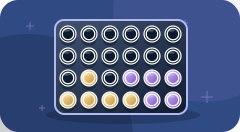
- New illustrations for 38 shared games and four solo games.
- Detailed chess pieces, wooden boards, glossy counters, ivory dominoes and a matching card deck.
- Drop Four counters drop into place. Cards and dominoes lift when selected.
- Refreshed Patience, Five Letters, Number Grid and Hidden Mines graphics.
Play with friends on their own phones
- Update Beebo on the host phone.
- Open Other → Games → Play with guests and start your campsite session.
- Guests join the same hotspot or local Wi-Fi, scan the guest QR code and enter their names.
- Everyone opens Games, chooses the same game, and the leader starts the round.
After updating, restart Campsite Mode and have guests reload their game page. The artwork is included in the app, so guests do not need an internet connection to fetch it.
Your other Beebo features
Looking for Story Mode and character voices, computer voice setup, or the illustrated app tour? The guides are still here.
Watch Together is in Beta: it worked on two real phones in one home, but a viewer who closes the app does not rejoin. To try it, open Other → Tools → Watch Together, or start a video and use the Watch together button in the player.
Only the current supported installers are linked here.